
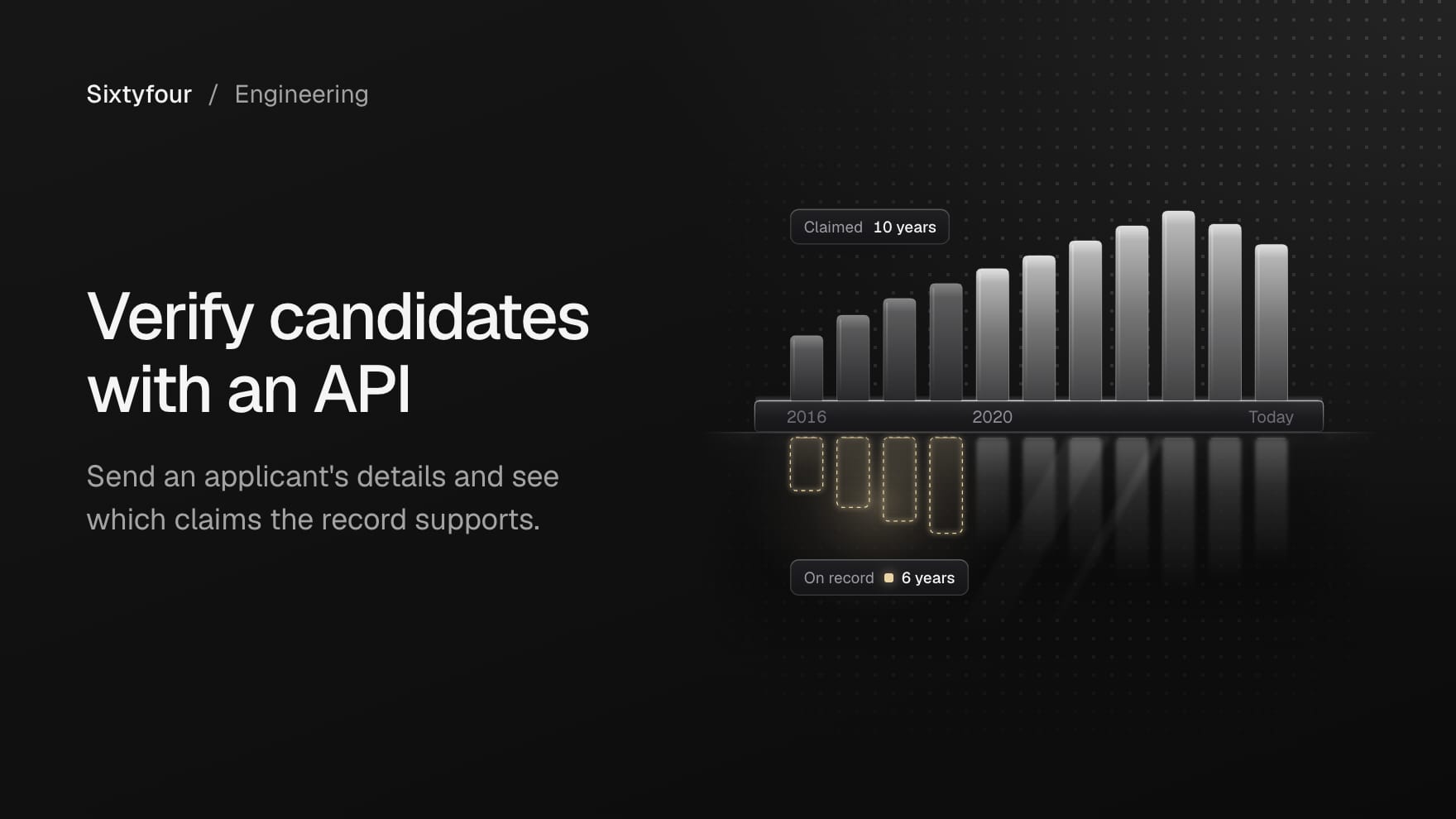
A candidate verification API takes the details an applicant gives you, such as their name, email address, phone number, LinkedIn URL and the claims on their résumé, and returns a structured assessment: whether those details point to one real person, whether each employment and education claim is supported, contradicted or not found, and the sources behind each answer. Sixtyfour is a research API you can build this on. You send the applicant to its People Intelligence endpoint with the fields you want back, and it researches sources across the web and returns those fields with the pages it read. Its Reverse Lookup endpoint shows who the email address and phone number resolve to.
Below is how we build one: the shape of the assessment, the calls, results by webhook or workflow, and the review rules we put around them. Every request and response shape follows our API docs, on the current /v1 routes, checked on 19 November 2026. The applicant and companies in the examples are invented.
What is a candidate verification API?
A hiring platform, a staffing firm or an internal recruiting team usually wants three answers before anyone books an interview:
- Whether the identity details in the application point to one real person, with the name, email address, phone number and profile URL all leading to the same individual.
- Whether each claim on the résumé holds up: the employers, titles, dates and degrees, each checked separately.
- Why: a sentence of evidence and a source URL for every answer, so a person can open the page and judge it.
That is research on a person, and its output is evidence for a reviewer. Checking an identity document against a selfie is a different kind of check, run by a different kind of tool, and a team can run both. Sixtyfour does the research part.
Our guide to spotting fake candidates before the interview covers the identity question in depth, and our guide to verifying a résumé covers checking claims one at a time by hand. This post turns both into code.
How to verify a candidate with Sixtyfour
Every request goes to https://api.sixtyfour.ai with an API key in the x-api-key header. Keys are created under API Keys in the web app's Settings. We make three calls per applicant:
| Call | Endpoint | What it answers |
|---|---|---|
| People Intelligence | POST /v1/people/intelligence | The fields you define: here, an identity check and one status per résumé claim, with evidence and sources |
| Reverse Lookup, email | POST /v1/people/contacts/reverse | The name, employer and profile the email address resolves to |
| Reverse Lookup, phone | POST /v1/people/contacts/reverse | The same for the phone number |
People Intelligence takes a person, which accepts any attributes, including name, company, email, linkedin_url and location, plus a required fields object and a required tier. Each start returns a Job, which you poll at GET /v1/jobs/{job_id} or receive by webhook. We start all three together and combine their answers in our own code into a label with reasons.
If the caller is an AI agent rather than a service, People Intelligence and both reverse lookups are also tools on our MCP server, and our post on adding people research to an agent covers the setup and what those tools return.
How should the assessment be shaped?
The fields are the research brief, and their shape decides what your pipeline can do with the answers. Four rules we hold to when we build these:
- Keep not found separate from contradicted. A page that disagrees with a claim is evidence, and finding no page at all is the absence of evidence, so the two need different labels. Many real careers leave little public trace, and a pipeline that merges the two treats a quiet career as a false one.
- Never make a name mismatch from one lookup the sole reason for a fraud label. Names differ between sources for ordinary reasons: marriage, transliteration, a nickname, a recycled email address. Our code has no fraud label at all. It sends evidence to a person.
- Treat a missing profile as neutral. No LinkedIn profile, or a reverse lookup that finds no record, adds nothing in either direction.
- Return the rationale with the label. Every claim carries a sentence of evidence and its source URL, so the reviewer starts where the research stopped.
Here are the fields we send:
FIELDS = {"identity": {"type": "object","description": "Whether the name, email, phone number and LinkedIn URL in the input belong to one real person, judged only from sources you can cite","subfields": [{"key": "status","type": "enum","options": ["consistent", "conflicting", "not_enough_evidence"],"description": "consistent if sources tie the identifiers to the same person, conflicting if a source ties one to a different person",},{"key": "rationale", "type": "string", "description": "Two or three sentences on what tied the identifiers together or apart"},{"key": "sources", "type": "list[str]", "description": "URLs of the pages relied on"},],},"claim_checks": {"type": "object_list","description": "One entry for each claim in the input's resume_claims, in the same order","subfields": [{"key": "claim", "type": "string", "description": "The claim exactly as listed"},{"key": "status","type": "enum","options": ["supported", "contradicted", "not_found"],"description": "supported if a source confirms it, contradicted if a source states something incompatible with it, not_found if no source addresses it",},{"key": "evidence", "type": "string", "description": "One sentence on what the source says, or on what was searched when nothing was found"},{"key": "source_url", "type": "string", "description": "URL of the page that supports or contradicts the claim"},],},}RESEARCH_PLAN = ("Check each claim in resume_claims against pages you can cite, such as employer websites, ""press releases, conference programmes, university news pages and the applicant's own profiles. ""Mark a claim contradicted only when a source states something incompatible with it, ""and not_found when no source addresses it. Never treat the resume itself as a source.")
Three behaviours from our fields guide make this safe to feed into code. An enum value is always one of the options you list, so a status never comes back as free text. Every field you request is present in the response, and a field the agent could not establish is null. And in the guide's words, "Values are never invented to satisfy a type." The nested object_list follows the guide's own example, which records each finding with the claim, the source URL and a strength.
The claims go in the record, as a list we call resume_claims, so each applicant carries their own. The docs describe person as known information that "Accepts any attributes" and say no more about how an extra key is used. So our field description and research plan both name resume_claims and say what to do with it, and we check the first results to see that every claim came back. We extract them from the résumé text before the call, one employer, title and date range or one degree per line, so each check maps back to a line the reviewer can see. The method goes in research_plan, which takes up to 100,000 characters on where and how to research and is the same for every applicant.
How do you start a check and read the result?
wait_seconds runs from 0 to 20 and does not limit how long the Job runs, so in a service we send 0 and follow the Job. This is the start, a polling helper adapted from our async jobs page, and the read:
import timeimport uuidimport requestsAPI = "https://api.sixtyfour.ai"HEADERS = {"x-api-key": "YOUR_API_KEY", "Content-Type": "application/json"}FINAL = ("succeeded", "failed", "canceled")def start_research(applicant, idempotency_key):headers = dict(HEADERS)headers["Idempotency-Key"] = idempotency_keybody = {"person": {"name": applicant["name"],"email": applicant["email"],"phone": applicant["phone"],"linkedin_url": applicant["linkedin_url"],"location": applicant["location"],"resume_claims": applicant["claims"],"custom_id": applicant["application_id"],},"tier": "medium","fields": FIELDS,"research_plan": RESEARCH_PLAN,"wait_seconds": 0,}response = requests.post(f"{API}/v1/people/intelligence", headers=headers, json=body, timeout=60)response.raise_for_status()return response.json()def wait_for_job(job, max_wait=7200):deadline = time.monotonic() + max_waitwhile job["status"] not in FINAL:if time.monotonic() > deadline:raise TimeoutError(f"Job {job['job_id']} still {job['status']}")time.sleep(job.get("next_poll_after") or 5)response = requests.get(f"{API}/v1/jobs/{job['job_id']}", headers=HEADERS, timeout=30)if response.status_code in (429, 503):time.sleep(float(response.headers.get("Retry-After", 5)))continueresponse.raise_for_status()job = response.json()return jobdef read_item(job):response = requests.get(f"{API}/v1/jobs/{job['job_id']}/items", headers=HEADERS, timeout=30)response.raise_for_status()item = response.json()["items"][0]if item["status"] != "succeeded":raise RuntimeError(f"Item failed: {item['error']}")return item["result"]key = str(uuid.uuid4())save_pending_check(applicant["application_id"], key) # your store, before the requestjob = start_research(applicant, key)save_job_id(applicant["application_id"], job["job_id"])research = read_item(wait_for_job(job))
The details that shape it, all from our docs:
- The
Idempotency-Keymakes the start safe to retry. Generate a UUID for each new operation and save it before you send. The same key and body return the same Job without another charge, withIdempotent-Replayed: true, and the same key with a different body returns409andidempotency_key_reused. - Store the
job_idexactly as returned. Poll untilstatusissucceeded,failedorcanceled, and wait thenext_poll_afterseconds the Job suggests. - Polling shares one budget per organisation, 300 reads a minute with a burst of 15, which covers 50 Jobs in flight at one poll every 10 seconds. A
429on a status read does not affect the Job: waitRetry-Afterseconds and read again. - A succeeded Job can contain failed items, so check the item's own
status. We read the item atGET /v1/jobs/{job_id}/items, so the same code serves one applicant or a batch, and reading items does not start new research.
For a list of applicants, send them as people, up to 100,000 records, each with its own custom_id and claims, and read every item, passing each next_cursor on until it is null. The fields and research plan then apply to every record.
A finished item looks like this. It is illustrative, follows the documented item shape and is trimmed to our two fields, the research summary and the record score, without the item's input or the input values the result echoes back:
{"index": 0,"custom_id": "app-30517","status": "succeeded","result": {"identity": {"status": "consistent","rationale": "The LinkedIn URL in the application, the Pardrigg Systems team page and a 2020 meetup page give the same name, employers and city.","sources": ["https://pardrigg.example/team", "https://meetups.example/chicago-data/2020-06"]},"claim_checks": [{"claim": "Senior data engineer at Pardrigg Systems, March 2021 to present","status": "contradicted","evidence": "A Pardrigg Systems announcement dated March 2023 says she joined the data platform team that month.","source_url": "https://pardrigg.example/news/2023-03-new-hires"},{"claim": "Data engineer at Pellingrove Freight, 2018 to 2021","status": "supported","evidence": "A 2019 Pellingrove Freight engineering post is bylined to her, and a 2020 meetup page lists her as a data engineer there.","source_url": "https://pellingrove.example/engineering/2019-route-data"},{"claim": "BSc in Computer Science, Pemberford University, 2018","status": "not_found","evidence": "No graduation list, departmental page or news item naming her was found.","source_url": null}],"enrichment_notes": "Matched the applicant through her profile, an employer team page and a meetup page. One start date conflicts with an employer announcement.","enrichment_confidence_score": 7},"error": null}
Besides your fields, the result carries enrichment_notes, a short research summary, enrichment_references, which maps each source URL to what it supports, and enrichment_confidence_score, one score from 0 to 10 for the record. The /v1 routes do not take field_confidence, which is why we put the evidence and source for each claim inside our own fields. The xhigh tier, enabled on request, adds per-field scores and sources when available, and the original routes, which keep working, return a 0 to 100 score, a justification and source URLs for each researched field with field_confidence set to true.
How do you check the email address and phone number?
Reverse Lookup finds the person behind an email address or a phone number: their name, employer and profile. Each request takes exactly one of email, phone, items or input_file_id, so the email and the phone are two requests, and a batch keeps one contact type per request.
def reverse_lookup(kind, value, application_id):body = {kind: value, "custom_id": application_id, "wait_seconds": 20}response = requests.post(f"{API}/v1/people/contacts/reverse", headers=HEADERS, json=body, timeout=60)response.raise_for_status()job = wait_for_job(response.json())return job.get("result") or {}def lookup_signal(applicant, found, kind):if not found or found.get(f"{kind}_error"):return "no_record"profile = (found.get("linkedin_url") or "").rstrip("/").lower()if profile and profile == applicant["linkedin_url"].rstrip("/").lower():return "same_profile"name = found.get("fullname") or " ".join([found.get("firstname", ""), found.get("lastname", "")])if name.strip().lower() == applicant["name"].strip().lower():return "same_name"return "name_differs"lookups = {kind: lookup_signal(applicant, reverse_lookup(kind, applicant[kind], applicant["application_id"]), kind)for kind in ("email", "phone")}
A succeeded lookup can still have found nobody. Both lookup types use empty strings for missing values, and with no match email_error or phone_error reads "No data found". That is an answer about the record, and our async jobs page notes that contact fields describe the answer, not the execution of the Job. We map it to no_record, which our label treats as neutral, and a lookup with no result is free. Phone numbers go in with their country code, such as +13125550147.
If you also want to know whether the email address can receive mail, POST /v1/verify/emails returns a status of valid, risky, invalid or unknown directly, without a Job. Deliverability says nothing about whose address it is, so we keep it out of the identity signals.
How do you turn the evidence into a label?
The research and the lookups return evidence. The label is ours, decided in our own code, so the rules are explicit and testable:
def assess(research, lookups):identity = research.get("identity") or {}checks = research.get("claim_checks") or []reasons = []if identity.get("status") == "conflicting":reasons.append("Identity: " + (identity.get("rationale") or "see sources"))differs = [kind for kind, signal in lookups.items() if signal == "name_differs"]if len(differs) > 1 or (differs and reasons):reasons.append("Reverse lookup on " + " and ".join(differs) + " returns a different name")for check in checks:if check.get("status") == "contradicted":reasons.append(f"{check['claim']}: {check['evidence']} ({check['source_url']})")return {"label": "needs_review" if reasons else "nothing_contradicted","reasons": reasons,"identity": identity,"lookups": lookups,"claims": checks,"not_found": [c["claim"] for c in checks if c.get("status") == "not_found"],"summary": research.get("enrichment_notes"),"sources": research.get("enrichment_references") or {},}
Each rule from earlier is a line here. A contradicted claim is a reason for review, with its evidence and source in the reason itself. A claim that is not found is listed and never counts as a reason, and a lookup with no record contributes nothing. One lookup returning a different name counts only when a second lookup or the research's identity check agrees. Neither label says anything about fraud: needs_review sends the reasons, evidence and sources to a person.
When a reviewer finds the research matched the wrong person, we send it back with POST /v1/feedback, with the Job's job_id, the category wrong_match and a comment, plus a correction carrying a public page that shows the right value where there is one.
How do you get results without polling?
Pass webhook_url, an HTTPS URL on a public host, when you start the research or a lookup, and Sixtyfour POSTs to it when the results are ready. Our outgoing webhooks reference sets the rules for the receiver:
- Intelligence and contact Jobs send the workflow payload, with download links for the result file, and its
run_idis the Job'sjob_idwithout thejob_prefix. We use the delivery as the signal that the check is ready, then read the item with thejob_idwe stored. - These Jobs send a webhook only when results are ready. A Job that fails or is cancelled sends none, so keep polling as the fallback for any check whose delivery is late.
- Deduplicate on
run_idwithprevious_block_id. A retry of one delivery keeps itsevent_id, and the same result can arrive again with a new one. - Delivery makes 5 attempts, 1, 2, 4 and 8 seconds apart, any
2xxresponse counts as success, and redirects are not followed. Return2xxwithin 10 seconds and do the work outside the request.
Once an admin or owner creates a signing secret under Webhooks in Settings, every delivery carries a Sixtyfour-Signature header with a timestamp t and a v1 value: a hex HMAC-SHA256 of the timestamp, a full stop and the raw body, keyed with the secret. Verify it against the raw body before parsing, and reject a timestamp more than five minutes from your clock. The signing page has the verify function, and our company research API post walks through a receiver built on it.
Sixtyfour only delivers to public hosts, so test a local receiver through a tunnel. Before a real check runs, send a sample delivery:
curl -X POST "https://api.sixtyfour.ai/v1/webhooks/test-events" \-H "x-api-key: YOUR_API_KEY" \-H "Content-Type: application/json" \-d '{"type": "outgoing_webhook","url": "https://your-server.example/webhooks/sixtyfour","signing": "required"}'
The outgoing_webhook sample matches what Intelligence Jobs send, with its download links set to null. A test delivery runs no Job and uses no credits, and each call sends a new event, so do not retry it automatically.
Can a new application start the check by itself?
Yes, through an incoming webhook: a workflow whose first block is the webhook block. Our programmatic workflows guide shows one as three blocks: a webhook block with an input_schema of the columns it expects and a dataframe_type of LEAD, a people research block (lead_enrichment) with its return_fields, and an outgoing_webhook block with your url. You can build it in the Workflow Editor or send the definition to POST /v1/workflows. Your form or applicant tracking system then starts a run for each new application:
headers = dict(HEADERS)headers["Idempotency-Key"] = str(uuid.uuid4())row = {"name": applicant["name"],"email": applicant["email"],"phone": applicant["phone"],"linkedin_url": applicant["linkedin_url"],"application_id": applicant["application_id"],}response = requests.post(f"{API}/v1/workflows/{WORKFLOW_ID}/runs", headers=headers, json={"input": [row]}, timeout=60)response.raise_for_status()run = response.json() # a Job with operation "workflows.run"
Each object in input becomes one row, and columns the input_schema does not declare still pass through to later blocks. A row with a top-level key starting with _ is refused, and so is a request with an unknown body field, which returns 422 and starts no run. The outgoing_webhook block sends one request per run, with the rows inline when there are at most 200 of them and 512 KB. Rows that failed at an earlier step are still in it, with Failed in the columns that step would have filled, and the final output file ends with a Status column.
The docs' sample return_fields maps field names to types, such as "title": "string". Read the block's specs with GET /v1/workflows/blocks before you rely on nested fields there, and keep the per-claim checks on the API route above until you have.
If your team uses Ashby, our Ashby integration, in early access as of November 2026, imports applicants into a workflow as rows, with resume_text when Read résumés is on and the Ashby IDs for matching results back. Sixtyfour only reads from Ashby and never writes back.
A worked example
This is a composite. Clio Prothwick, Pardrigg Systems, Pellingrove Freight and Pemberford University are invented, the domains use the .example name reserved for documentation and the phone number is in the 555-0100 to 555-0199 range.
A hiring platform receives an application for a senior data engineering role from Clio Prothwick in Chicago, with the email address clio.prothwick@mail.example, the phone number +1 312 555 0147, a LinkedIn URL and a résumé. Its parser extracts three claims: senior data engineer at Pardrigg Systems from March 2021 to now, data engineer at Pellingrove Freight from 2018 to 2021, and a BSc in Computer Science from Pemberford University in 2018. The platform started the People Intelligence Job at medium and the two reverse lookups together, with the application ID as custom_id, and took the results by webhook.
| Check | What came back | Source | What our code did |
|---|---|---|---|
| Email, reverse lookup | Clio Prothwick, with the same LinkedIn URL | The lookup's own record | same_profile |
| Phone, reverse lookup | No data found | None | no_record, neutral |
| Identity, research | consistent | Pardrigg's team page, a 2020 meetup page | Shown to the reviewer |
| Pardrigg Systems, March 2021 to now | contradicted | A March 2023 Pardrigg announcement of her joining | A reason for review |
| Pellingrove Freight, 2018 to 2021 | supported | A 2019 Pellingrove post bylined to her, the meetup page | None |
| BSc, Pemberford University, 2018 | not_found | None | Listed, never a reason |
The label was needs_review, with one reason: the start date at Pardrigg, quoted with the announcement's URL. The research charged 20 credits and the email match 0.5, at list price, and the phone lookup was free because it found nothing.
A recruiter asked about the date on the first call. Clio Prothwick had worked for Pardrigg as a contractor through an agency from 2021 and joined its staff in March 2023, which is the date the announcement records. The recruiter noted the explanation, and because the role asked for a degree, asked her for her certificate as a separate, manual step. Sixtyfour returned where each claim stood, with the page behind every answer it could source, and the people involved settled the rest.
What does it cost?
List prices in credits, as of November 2026, from our credits guide:
| Call | Credits |
|---|---|
People Intelligence at micro, low, medium | 0.3, 1 and 20 per applicant |
People Intelligence at high | 40 per applicant, enabled on request |
| Reverse email | 0.5 per match |
| Reverse phone | 3 per match |
| Verify Email | 0.1 per request, nothing for an unknown verdict |
| Polling a Job, reading its items | Free |
A lookup with no result is free, and a single research call that fails is free too, though steps it completed stay charged. Every Job reports charge_credits, the credits charged so far after refunds, which can still change after the Job finishes. We use medium for candidate checks, because the docs describe low as basic research and medium as more sources and research iterations for hard-to-find contacts.
Reading the results fairly
- A source dates what it reports. An announcement dates the announcement, and in the example it dated a change of contract, so a contradicted claim is a question to ask the candidate.
- Many people leave little to find, and empty answers are common even where a verified answer exists. On RECON, our benchmark for researching people (140 people and 514 verified fields), Sixtyfour Medium answered 288 fields correctly, answered 58 wrongly and left 168 empty, a weighted accuracy of 44.7 percent (correct minus wrong, divided by all fields). The public repository runs that system as People Intelligence at the
mediumtier on the original route, and the runs took place between 8 September and 6 October 2026. Sixtyfour XHigh scored 70.6 percent and the strongest system from another company 41.1 percent. We built RECON and five of the systems it scores are ours. HUD validated it externally, and a GPT-4.1 mini judge graded the answers, agreeing with human review on 98.5 percent of a 200-field sample. RECON measures finding facts about people, which is related to checking résumé claims and not the same task, and your applicants will differ from its 140 people. - Wrong answers happen at every tier, which is why the label routes evidence to a person and never acts on its own.
- Measure the pipeline on 10 to 20 applicants your team already knows before you run it on every application, as our credits guide suggests for any new workflow.
- Sixtyfour returns what the research found and the pages it found it on. It does not verify identity documents or selfies, or check bank accounts. Confirming employment dates with an employer or a degree with the school is a step a person takes, and anything the research could not establish comes back open for your team to decide.
Our workforce risk page shows the same claim-by-claim approach for hiring and security teams.
The short version
Send each applicant to People Intelligence with their identifiers in person, their résumé claims as a list on the record, typed fields that give every claim a status of supported, contradicted or not found with evidence and a source URL, and the method in research_plan. Start with an Idempotency-Key, store the job_id, poll or take a signed webhook, and read the item. Run reverse lookups on the email and phone, treat no record as neutral, and never let one different name decide anything alone. Label in your own code, keep not found apart from contradicted, and send every reason to a person with its source. Sixtyfour researches each applicant and returns the fields you define with the pages behind them, so your reviewers can check what the label rests on.